> For the complete documentation index, see [llms.txt](https://docs.2checkout.com/llms.txt). Markdown versions of documentation pages are available by appending `.md` to page URLs; this page is available as [Markdown](https://docs.2checkout.com/subscriptions/subscriptions/churn-prevention/voluntary-churn-prevention/retention-tools-customization-guide.md).
# Retention tools customization guide
## Overview
***
2Checkout offers the option of configuring churn prevention campaigns in the Control Panel that take effect in **myAccount**. You can configure these campaigns according to your preferences, including creating personalized messages that 2Checkout will display to shoppers when they try to cancel an auto-renewing subscription.
## Control Panel customization
***
### How to customize auto-renewal enrollment campaigns
To customize auto-renewal enrollment campaigns, you first need to create them. Refer to our detailed [documentation](https://docs.2checkout.com/subscriptions/subscriptions/churn-prevention/voluntary-churn-prevention/how-to-configure-auto-renewal-enrollment-campaigns.md) for instructions on how to create an auto-renewal enrollment campaign. After you’ve set the campaign’s details, you can start the campaign. You cannot customize auto-renewal enrollment campaigns from the Control Panel. You can customize how they appear in **myAccount** via CSS.
### How to customize churn prevention campaigns
To customize churn prevention campaigns, you first need to create them. Refer to our detailed [documentation](https://docs.2checkout.com/subscriptions/subscriptions/churn-prevention/voluntary-churn-prevention/how-to-configure-churn-prevention-campaigns.md) for instructions on how to create a churn prevention campaign. After you’ve set the campaign’s details, you can include a personalized message in it. 2Checkout will display this message to your shoppers when they attempt to stop the auto-renewal of the subscription you choose in the campaign’s settings.
You can use the following elements in the personalized message:
* HTML tags
* Custom variables, such as PRIMARY\_PRODUCT\_NAME and PRIMARY\_PRODUCT\_PRICE
Additionally, you can choose to display the message only for orders that were placed in a specific language. Simply select the desired languages from the available list.
{% hint style="danger" %}
**Important!** An English version of the custom text is mandatory. The English version will be displayed for any selected language that doesn’t have a translated text.
{% endhint %}
## 2Checkout myAccount customization
***
### What can I customize in myAccount
{% hint style="danger" %}
**Important!** Any retention campaign displayed in myAccount inherits by default the style of the myAccount template.
{% endhint %}
You can further customize the way retention campaigns are displayed by applying custom CSS styles to specific HTML IDs. The following sections detail each customizable element together with its IDs and the CSS classes they inherit by default.
Any customization made to the elements below applies to every retention campaign displayed in myAccount.
### Customize auto-renewal campaign pop-ups in myAccount
Identify and customize the elements described below.
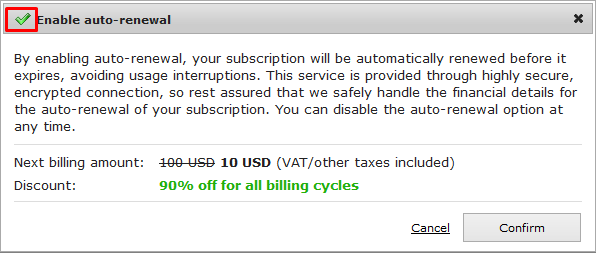
#### Title bar icon
Customize the look of the title bar icon by applying your own styles to **id="secureLocked"**. The icon inherits the style of the `secureLocked` and `retentionModal` CSS classes.
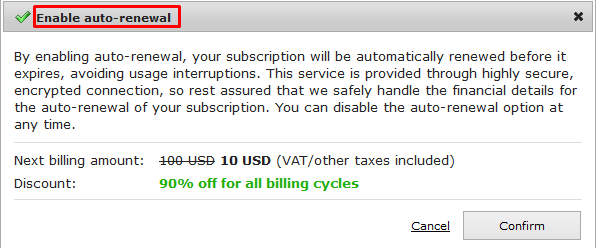
#### Pop-up title
Customize the look of the pop-up title by applying your own styles to **id="secureLockedTitle"**. The title inherits the style of the `secure_locked_title` CSS class.
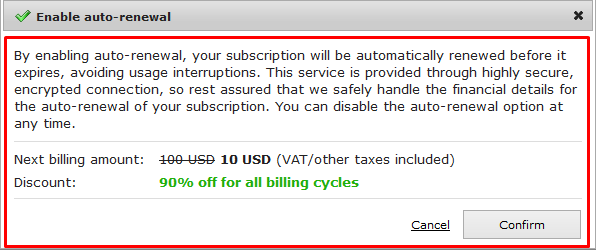
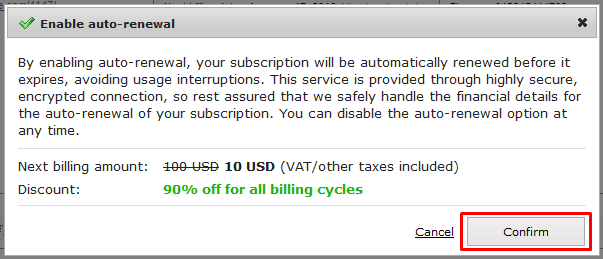
#### Auto-renewal enrollment dialog
Customize the look of the auto-renewal enrollment dialog by applying your own styles to **id="autoRenewalEnrollment"**. The dialog inherits the style of the `ui-dialog-content` and `ui-widget-content` CSS classes.
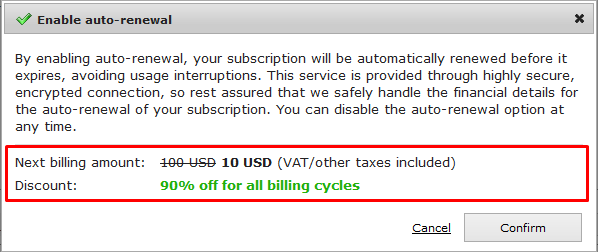
#### Discount details
Customize the look of the discount details section by applying your own styles to **id="** **autoRenewalEnrollmentDiscount"**. The section inherits the style of the `myaccount__myproductsrenewal__page__price` CSS class.
#### Next billing amount (initial value)
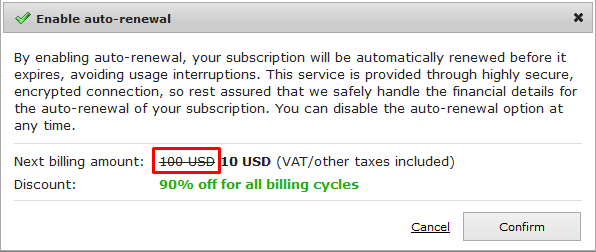
Customize the look of the next billing amount (initial value) text by applying your own styles to **id="autoRenewalEnrollmentDiscountInitialAmount"**. The text inherits the style of the `myaccount__myproductsrenewal__page__price__value__initial` CSS class.
#### Next billing amount (discounted value)
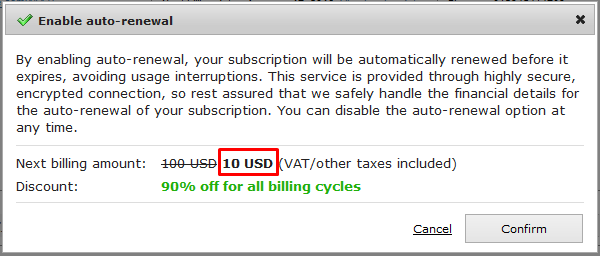
Customize the look of the next billing amount (discounted value) text by applying your own styles to **id="autoRenewalEnrollmentDiscountDiscountedAmount"**. The text inherits the style of the `myaccount__myproductsrenewal__page__price__value__amount` CSS class.
#### Discount text
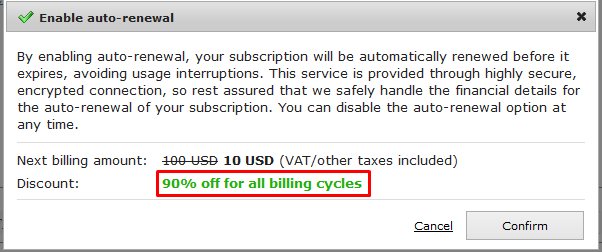
Customize the look of the discount text by applying your own styles to **id="**a**utoRenewalEnrollmentDiscountBillingCycles"**. The text inherits the style of the `myaccount__myproductsrenewal__page__price__value` CSS class.
#### Cancel enrollment button
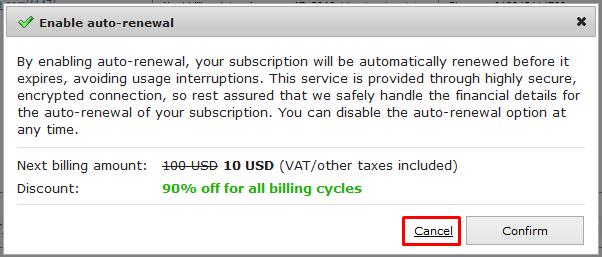
Customize the look of the **Cancel auto-renewal enrollment** button by applying your own styles to **id="autoRenewalEnrollmentCancelButton"**. The button inherits the styles of the `button` and `buttonRetentionCancel` classes.
#### Confirm enrollment button
Customize the look of the **Confirm auto-renewal enrollment** button by applying your own styles to **id="autoRenewalEnrollmentSubmitButton"**. The button inherits the styles of the `button` and `buttonRetentionSubmit` CSS classes.
### Customize churn prevention campaign pop-ups in myAccount
Identify and customize the elements described below.
#### Title bar icon
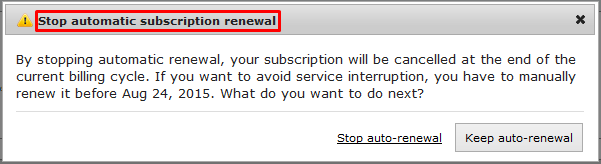
Customize the look of the title bar icon by applying your own styles to **id="secureLocked"**. The icon inherits the style of the `secureLocked`, `retentionModal` and `cancelAutoEnroll` CSS classes.

#### Pop-up title
Customize the look of the pop-up title by applying your own styles to **id="secureLockedTitle"**. The title inherits the style of the `secure_locked_title` CSS class.
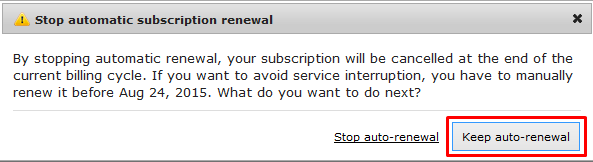
#### Campaign message
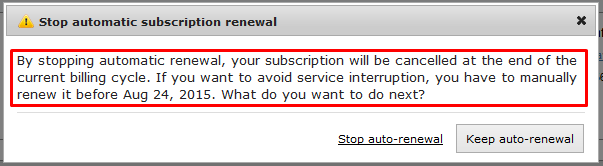
Customize the look of the campaign text message by applying your own styles to **id=" autoRenewalCancellationText"**. The text inherits the style of the template by default.
#### Stop auto-renewal button
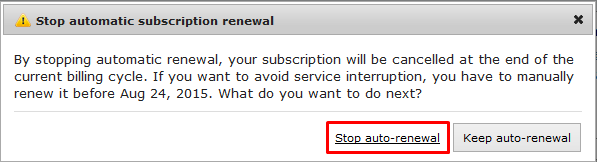
Customize the look of the **Stop auto-renewal** button by applying your own styles to **id=" autoRenewalCancellationSubmitButton"**. The button inherits the styles of the `button` and `buttonRetentionCancel` classes.
#### Keep auto-renewal button
Customize the look of the **Keep auto-renewal** button by applying your own styles to **id=" autoRenewalCancellationCancelButton"**. The button inherits the styles of the `button` class.
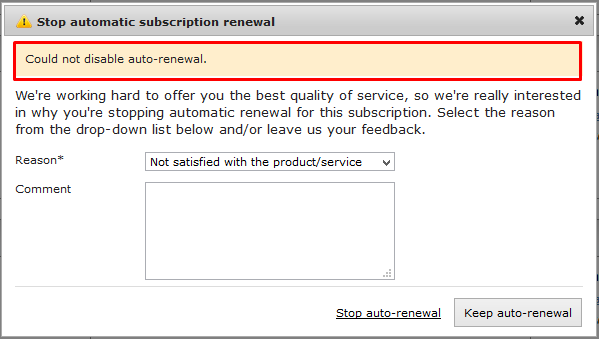
#### Auto-renewal cancellation reason dialog
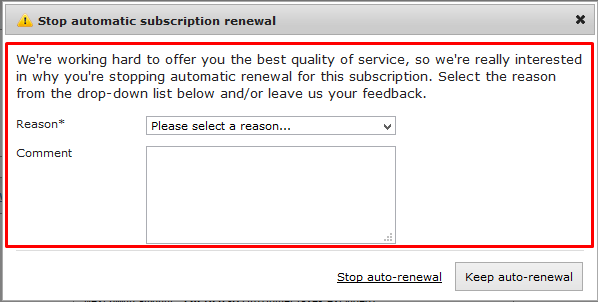
Customize the look of the cancellation reason dialog by applying your own styles to **id=" autoRenewalCancellationStepREASON"**. The area inherits the style of the template by default.
#### Auto-renewal cancellation reason input
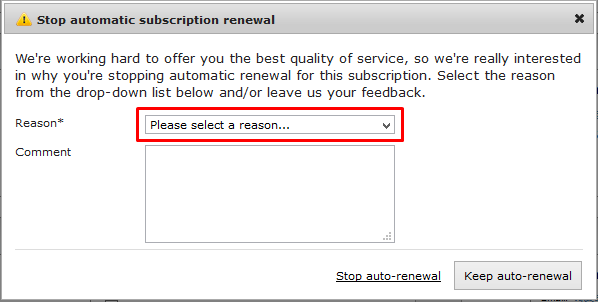
Customize the look of the cancelation reason input by applying your own styles to **id=" autoRenewalCancellationReasonInput"**. The input inherits the style of the `select` and `reasonField` CSS classes.
#### Auto-renewal cancellation comment text box
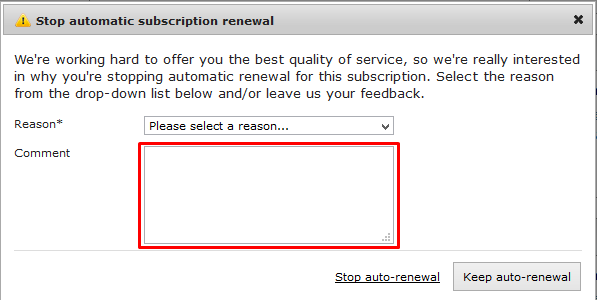
Customize the look of the cancelation reason comment box by applying your own styles to **id=" autoRenewalCancellationCommentInput"**. The text box inherits the style of the `text` and `reasonField` CSS classes.
#### Auto-renewal cancellation error message box
Customize the look of the cancellation reason error message box by applying your own styles to **id=" cPreventionError"**. The box inherits the style of the `showError` CSS class.
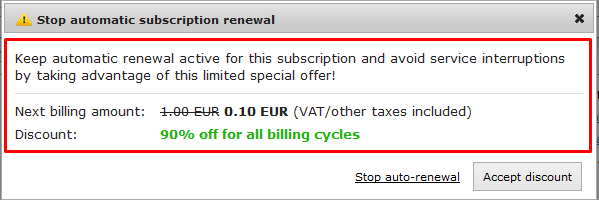
#### Auto-renewal cancellation discount pop-up
Customize the look of the discount pop-up by applying your own styles to **id=" autoRenewalCancellationStepDISCOUNT"**. The box inherits the style of the `myaccount__myproductsrenewal__page__step` CSS class.
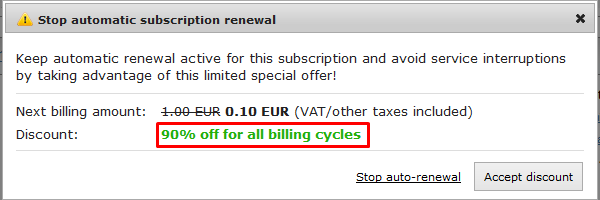
#### Auto-renewal cancellation discount message
Customize the look of the discount message by applying your own styles to **id=" autoRenewalCancellationDiscountBillingCycles"**. The box inherits the style of the `myaccount__myproductsrenewal__page__price__value` CSS class.
---
# Agent Instructions
This documentation is published with GitBook. GitBook is the documentation platform designed so that both humans and AI agents can read, navigate, and reason over technical content effectively. Learn more at gitbook.com.
## Querying This Documentation
If you need additional information that is not directly available in this page, you can query the documentation by asking a question.
Perform an HTTP GET request on the following URL with the `ask` and `goal` query parameters:
```
GET https://docs.2checkout.com/subscriptions/subscriptions/churn-prevention/voluntary-churn-prevention/retention-tools-customization-guide.md?ask=&goal=
```
`ask` is the immediate question: it should be specific, self-contained, and written in natural language.
`goal` is what the user is ultimately trying to achieve, the reason they need the answer. Sharing it helps GitBook give you a better, more relevant answer. A goal is most helpful when it describes the outcome the user wants rather than restating the question. For example, with `ask=how do I create an API token`, a goal like `automate deployments from our CI pipeline` lets GitBook tailor the answer to that use case.
The response will contain a direct answer to the question and relevant excerpts and sources from the documentation.
Use this mechanism when the answer is not explicitly present in the current page, you need clarification or additional context, or you want to retrieve related documentation sections.