> For the complete documentation index, see [llms.txt](https://docs.2checkout.com/llms.txt). Markdown versions of documentation pages are available by appending `.md` to page URLs; this page is available as [Markdown](https://docs.2checkout.com/marketing/emails.md).
# Emails
## Overview
You can customize the emails that 2Checkout sends for you, and provide shoppers with details about new products, coupon codes, links to other resources or any information that you believe could bring future sales.
## Benefits
Customizing shopper emails brings many benefits to both you and your shoppers:
* Offer a consistent customer experience, fully integrated with your website
* Reflect the "voice of your brand" and drive engagement from your customers
* Recover lost revenue from abandoned carts and unsuccessful payments
* Add important fulfillment information regarding your products, especially if 2Checkout is not delivering the products to your customers
* Add installation and product usage instructions
* Insert social networking links to continue the conversation with your clients and always be in touch
* Reach out to your customers in their own language. 2Checkout supports email translations and customizations in 33 languages (delivery emails, order emails, renewal/subscription emails, and order follow-up).
## Availability
Contact [2Checkout](https://secure.avangate.com/cpanel/contact.php) to customize your account's emails.
## Which emails can I customize?
During the purchase process, 2Checkout may send several emails to your customers, according to your settings and the ordering flow. You can customize emails from the following categories:
* Order
* Electronic Delivery
* Follow-up
* Renewal (Subscriptions related)
## Basic customization
Follow the steps below to customize your emails from the [Email Editor](/marketing/emails/email-editor.md).
{% stepper %}
{% step %}
#### Log in
Log in to your [2Checkout Merchant Account](https://secure.2checkout.com/cpanel).
{% endstep %}
{% step %}
#### Navigate to the Email editor
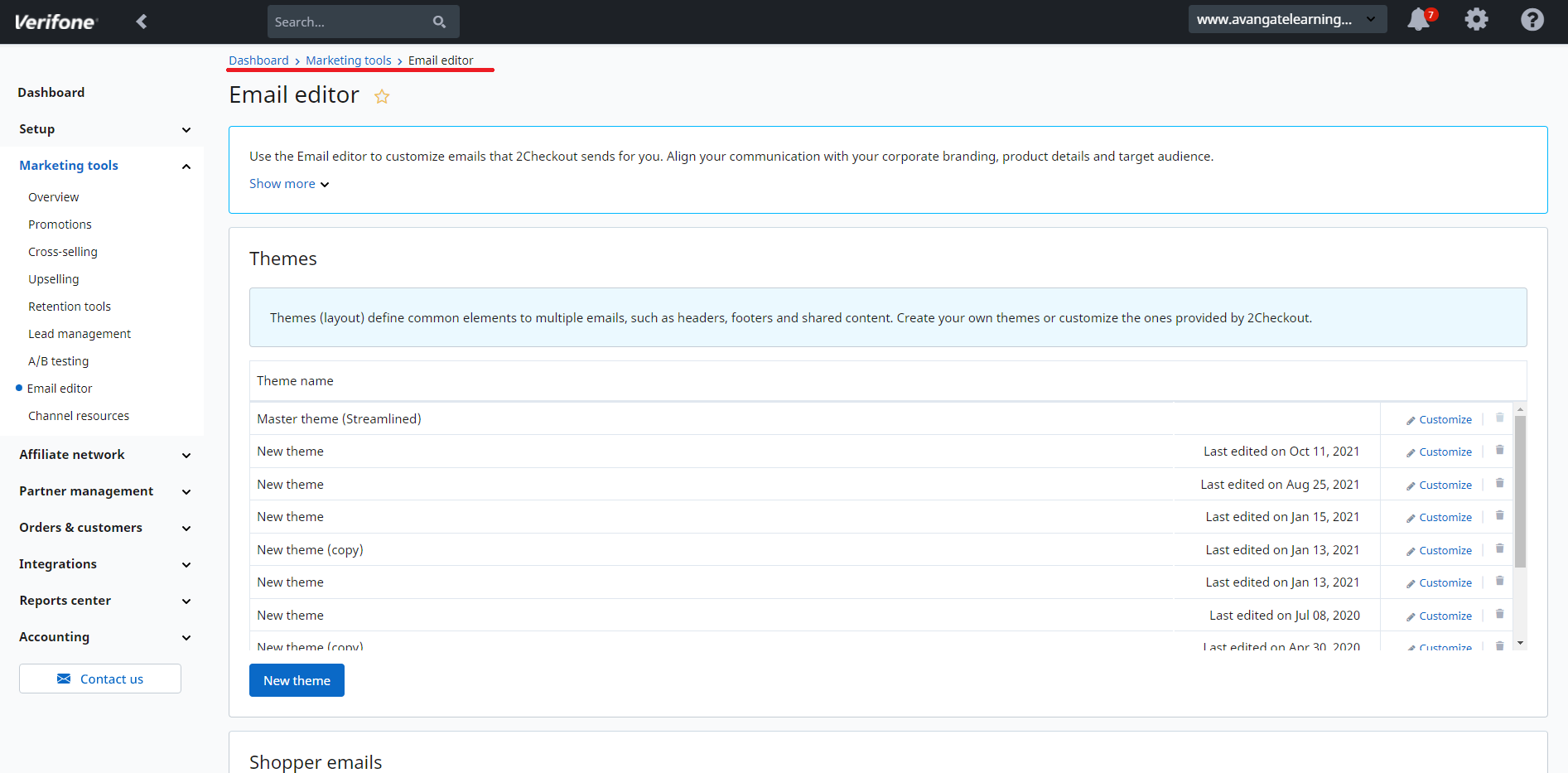
Navigate to *Dashboard →* [*Marketing tools*](https://secure.2checkout.com/cpanel/index_marketing.php) *→* [*Email editor*](https://secure.2checkout.com/cpanel/etm_templates.php).
{% endstep %}
{% step %}
#### Choose or create a theme
f you never had any custom email templates made by you or by 2Checkout, you are using the default 2Checkout template. This is the starting point to creating a new custom HTML template for your emails. You can see all previously created email templates or themes at the top of the page, in the **Themes** section. You can choose to customize an already existing theme (click on the **Customize** link on the right of the theme's name) or add a new one by clicking the **New theme** button.
{% endstep %}
{% step %}
#### Edit email parts
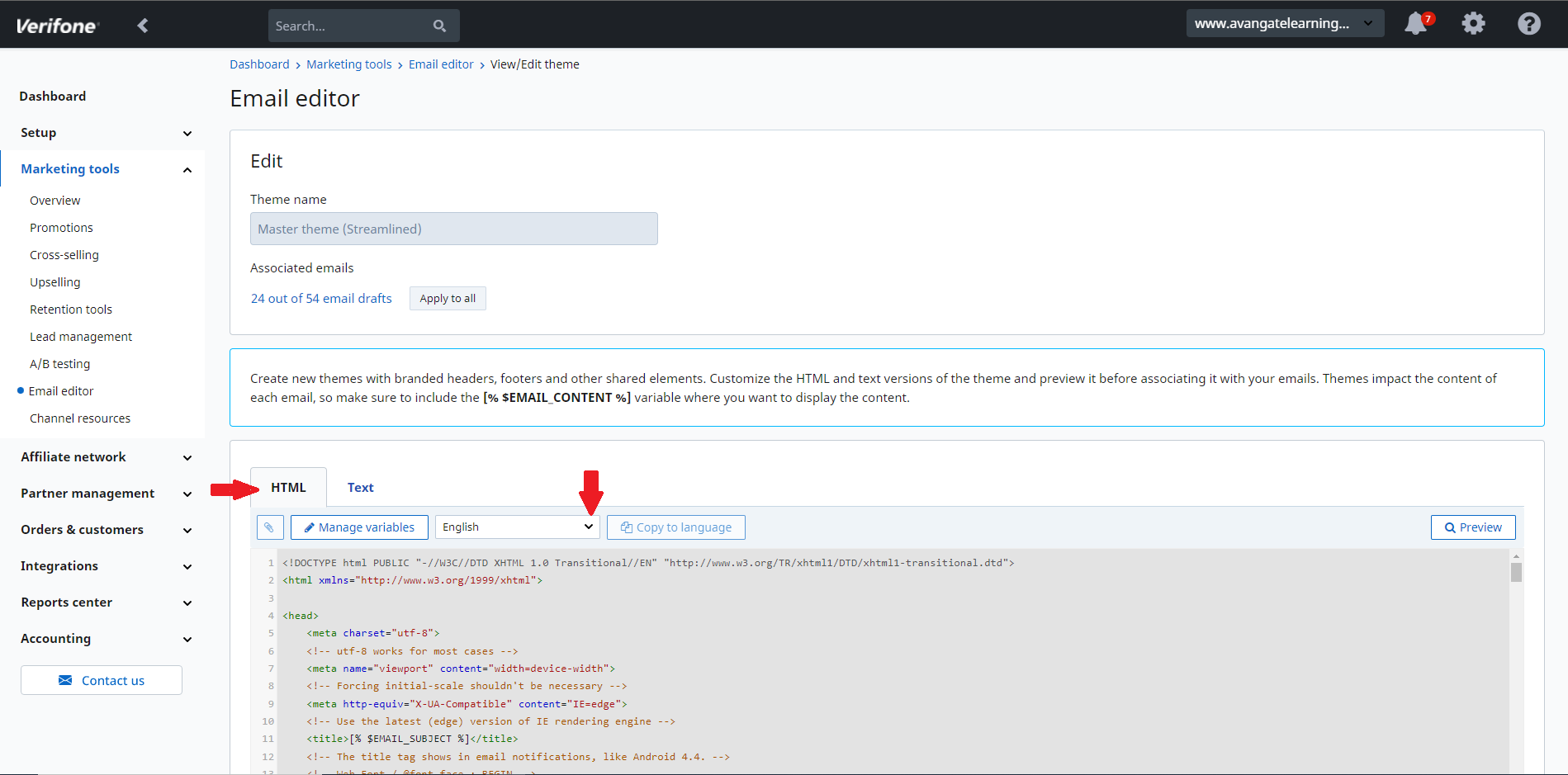
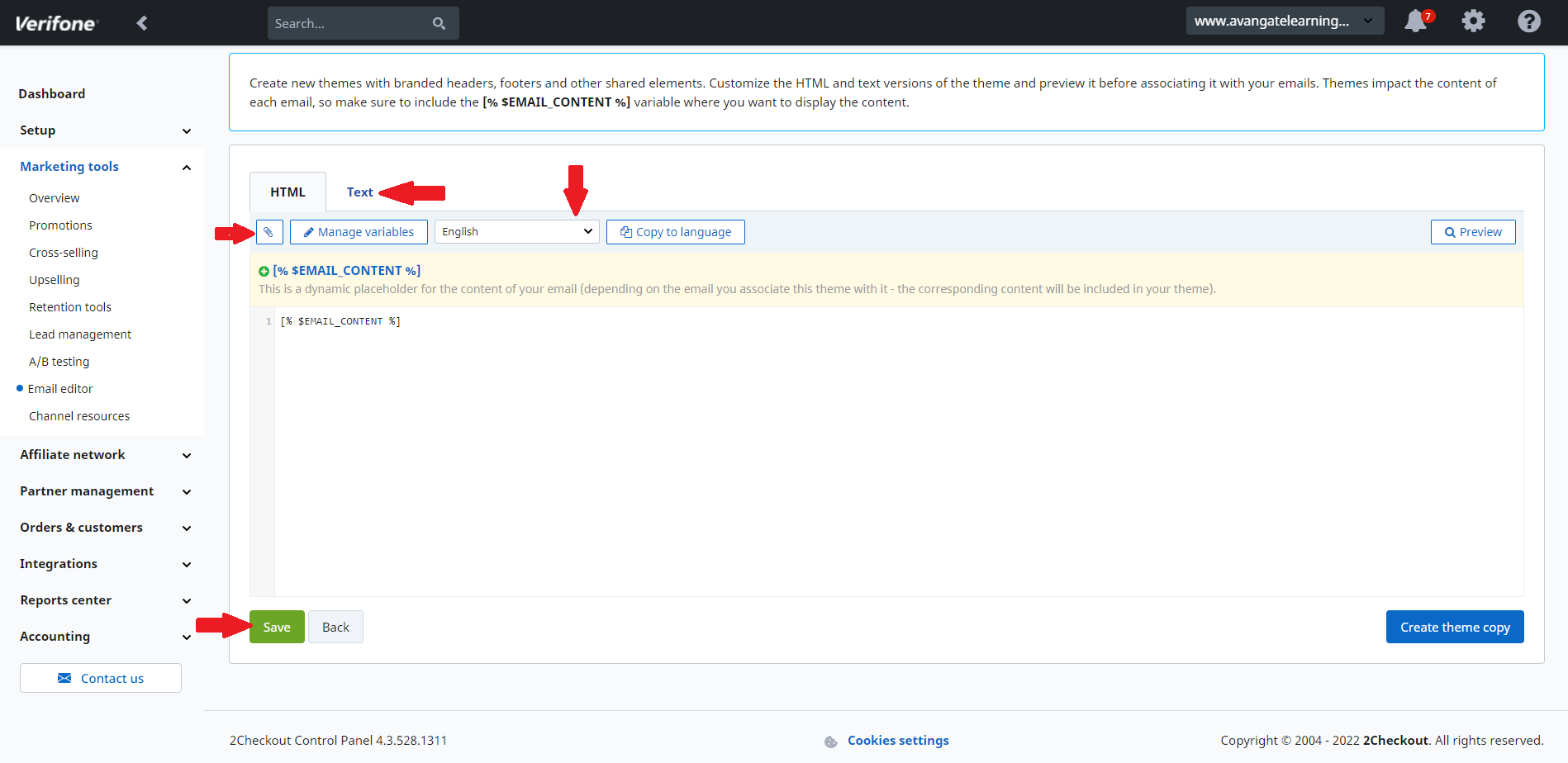
You can choose either HTML or text format to customize the **email header, body**, and **footer.** Click on the **attachment icon** to upload your logo and URL path. Customize the **email body** by adding more variables or by selecting the language from the drop-down menu. You can also customize the **footer** through the editor or by entering your own source code.
{% endstep %}
{% step %}
#### Save changes
Click **Save** to add your changes.
To preview the changes you made, click **Preview**.
{% endstep %}
{% endstepper %}
#### Edit email body and add custom text
You can edit the email body and add custom text to two 2Checkout emails:
* Automatic renewal
* Manual renewal
## Language coverage
You can add custom HTML code to any additional languages available for your account. Contact [2Checkout](https://secure.avangate.com/cpanel/contact.php) if you want to add custom text in other emails or require extra customization.
---
# Agent Instructions
This documentation is published with GitBook. GitBook is the documentation platform designed so that both humans and AI agents can read, navigate, and reason over technical content effectively. Learn more at gitbook.com.
## Querying This Documentation
If you need additional information that is not directly available in this page, you can query the documentation dynamically by asking a question.
Perform an HTTP GET request on the current page URL with the `ask` query parameter, and the optional `goal` query parameter:
```
GET https://docs.2checkout.com/marketing/emails.md?ask=&goal=
```
`ask` is the immediate question: it should be specific, self-contained, and written in natural language.
`goal` is optional and describes the broader end goal you are ultimately trying to accomplish on behalf of the user. GitBook uses it to tailor the answer towards what is most useful for that goal.
The response will contain a direct answer to the question and relevant excerpts and sources from the documentation.
Use this mechanism when the answer is not explicitly present in the current page, you need clarification or additional context, or you want to retrieve related documentation sections.