> For the complete documentation index, see [llms.txt](https://docs.2checkout.com/llms.txt). Markdown versions of documentation pages are available by appending `.md` to page URLs; this page is available as [Markdown](https://docs.2checkout.com/payment-link/create-a-payment-link/generate-a-buy-link-using-the-default-flows-cart.md).
# Generate a Buy-Link using the Default Flows cart
## Overview
One of the options to integrate your platform with the 2Checkout systems is to generate a buy-link that you can then apply to the Buy button on your web store. In this article, we will show you how to create a buy-link both for a single product as well as for multiple selections of different products.
## Availability
All merchants (on any type of account) can generate a link from the Merchant Control Panel.
## Generate a buy-link for one or more products using the default flows
{% hint style="warning" %}
Any buy link generated using the MD5 hashing algorithm should be changed to use SHA2/SHA3, as per the [Migration guide](/2checkout-apis/2checkout-apis/security-algorithms/upgrade-from-md5-to-sha2-sha3-algorithm.md) documentation.
{% endhint %}
{% stepper %}
{% step %}
### Log in to the Merchant Control Panel
Log in to your 2Checkout account in the [Merchant Control Panel](https://secure.2checkout.com/cpanel).
{% endstep %}
{% step %}
### Open Generate links
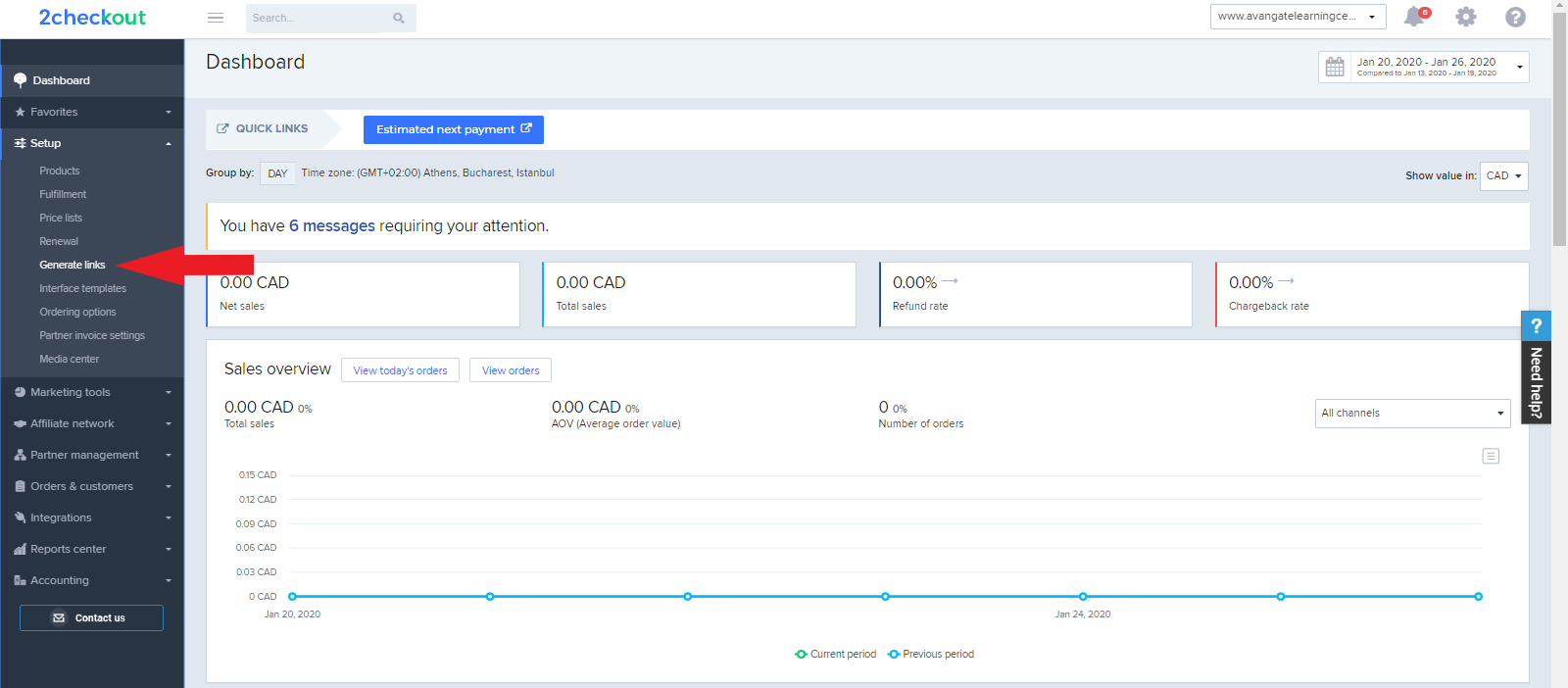
Navigate to **Setup** and click on [Generate links](https://secure.2checkout.com/cpanel/integration.php).
* Learn how to manage buy-link behavior by using [query parameters](/payment-link/checkout-links-and-options/buy-link-parameters.md).
{% endstep %}
{% step %}
### Choose Checkout links and Default flows cart
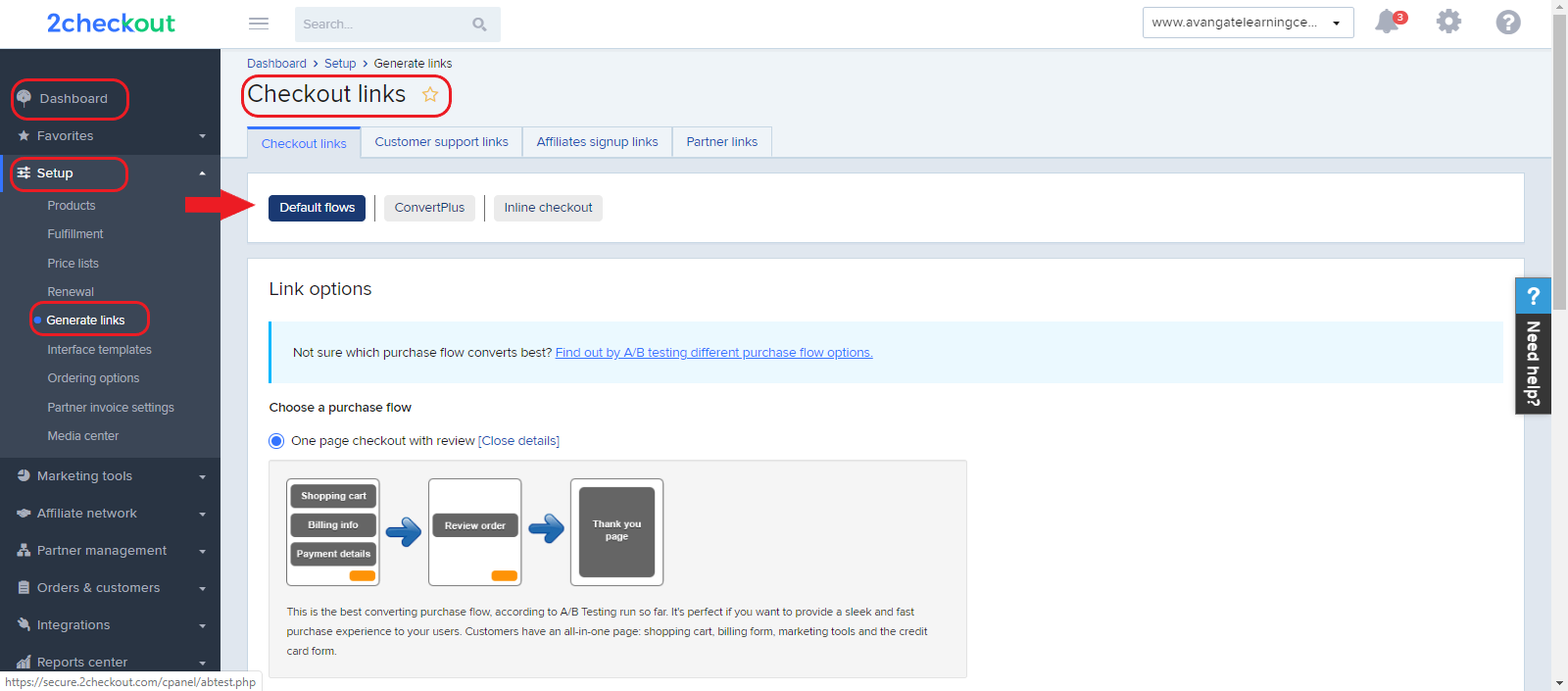
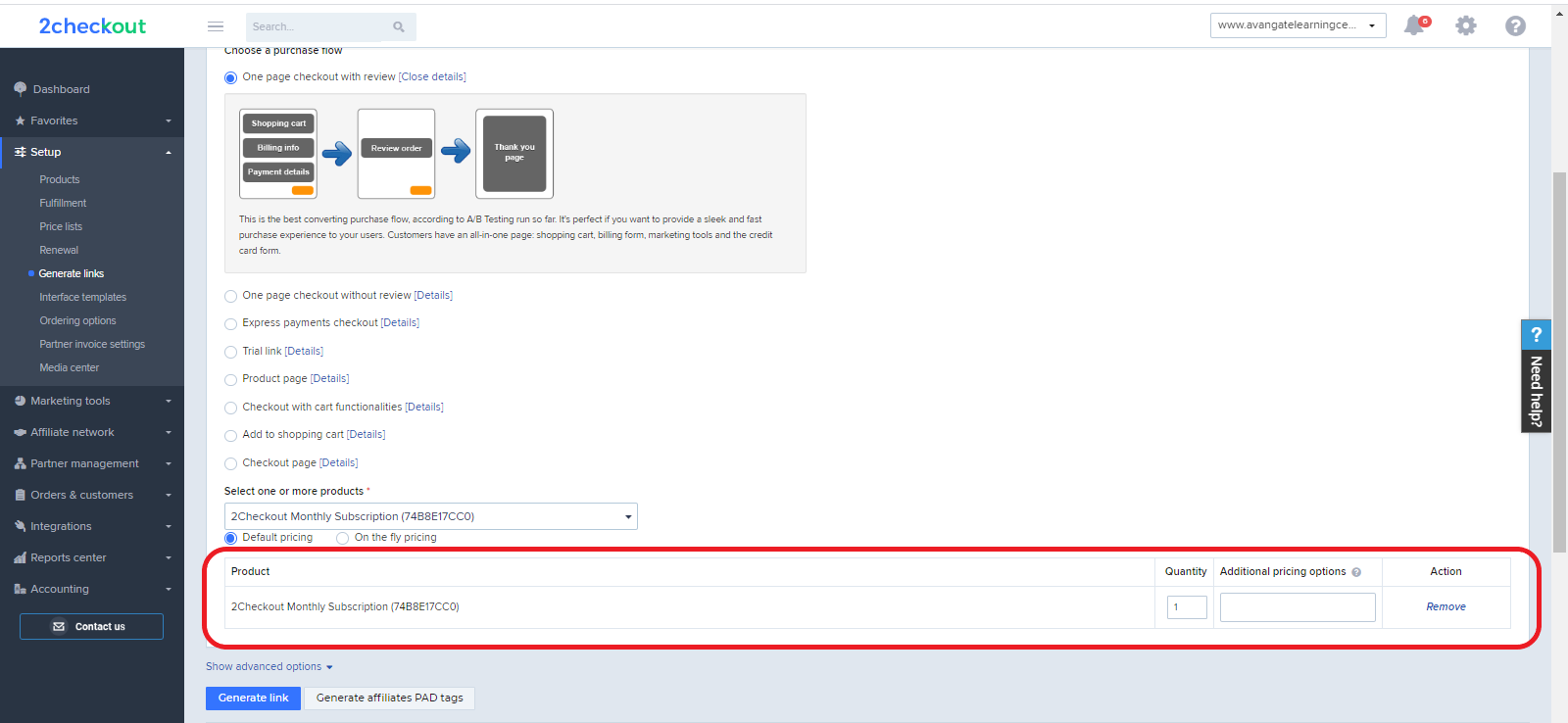
Click on **Checkout links** and the Default flows cart. Here are the two most popular templates for it:
* One page checkout without review
* One page checkout with review
* Learn more about purchase flows/funnels [here](https://verifone.cloud/docs/2checkout/Documentation/07Commerce/04Purchase_flows/).
{% endstep %}
{% step %}
### Select one or more products
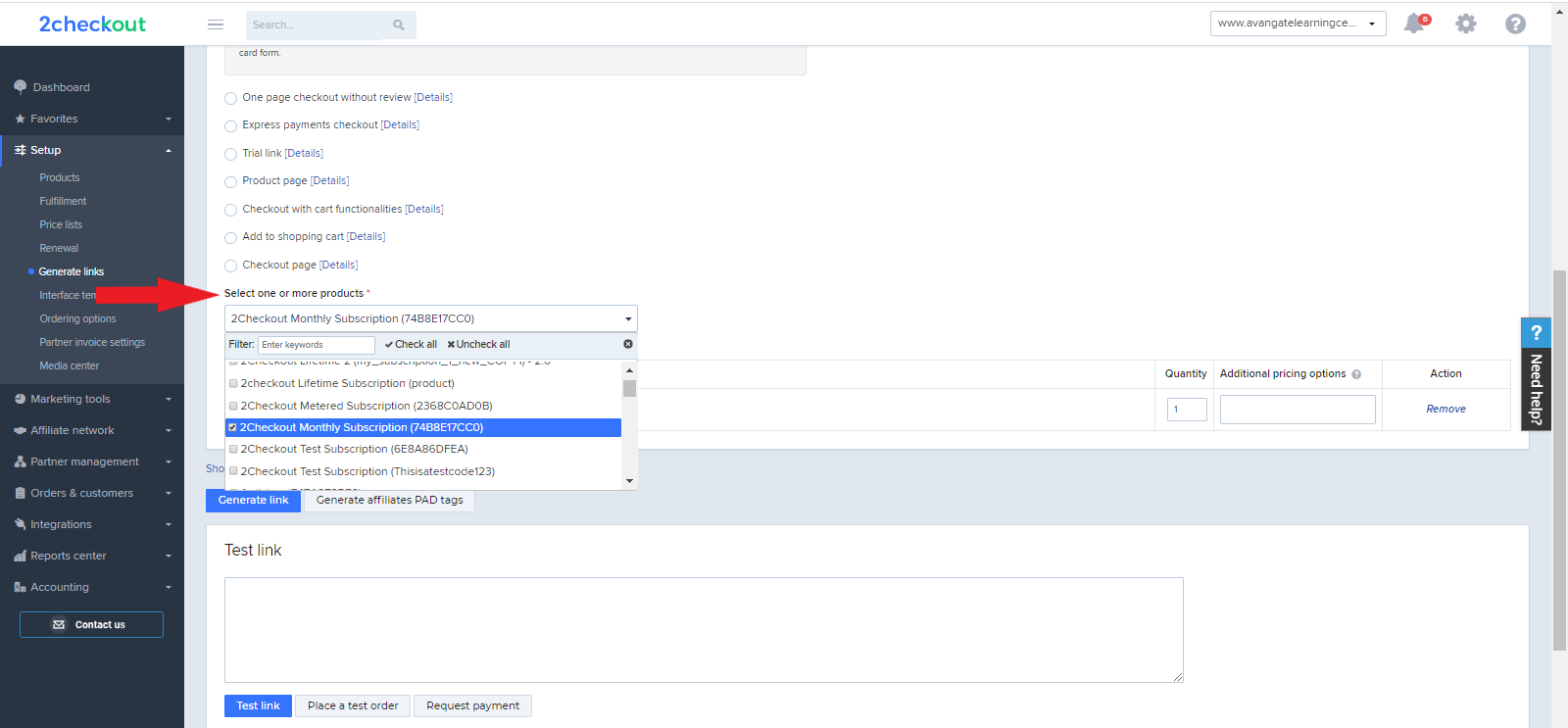
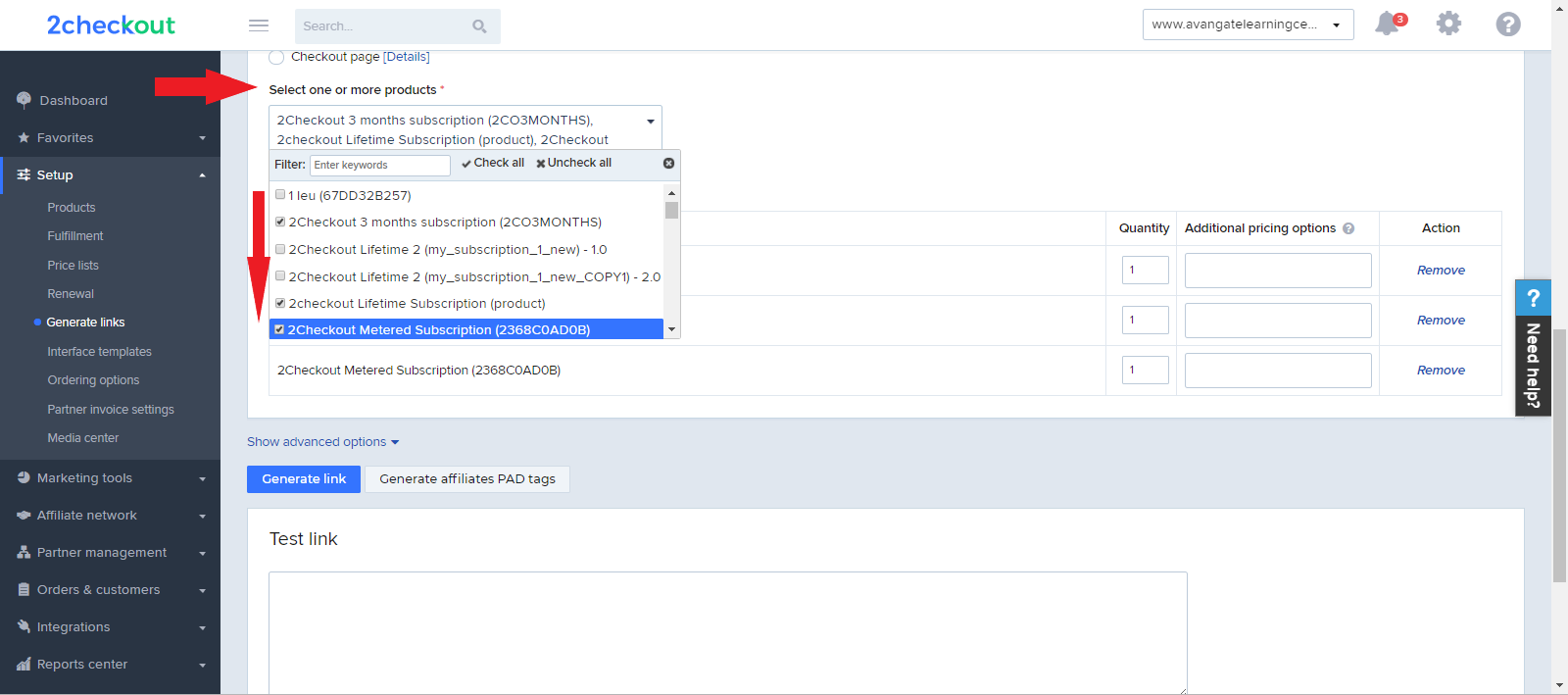
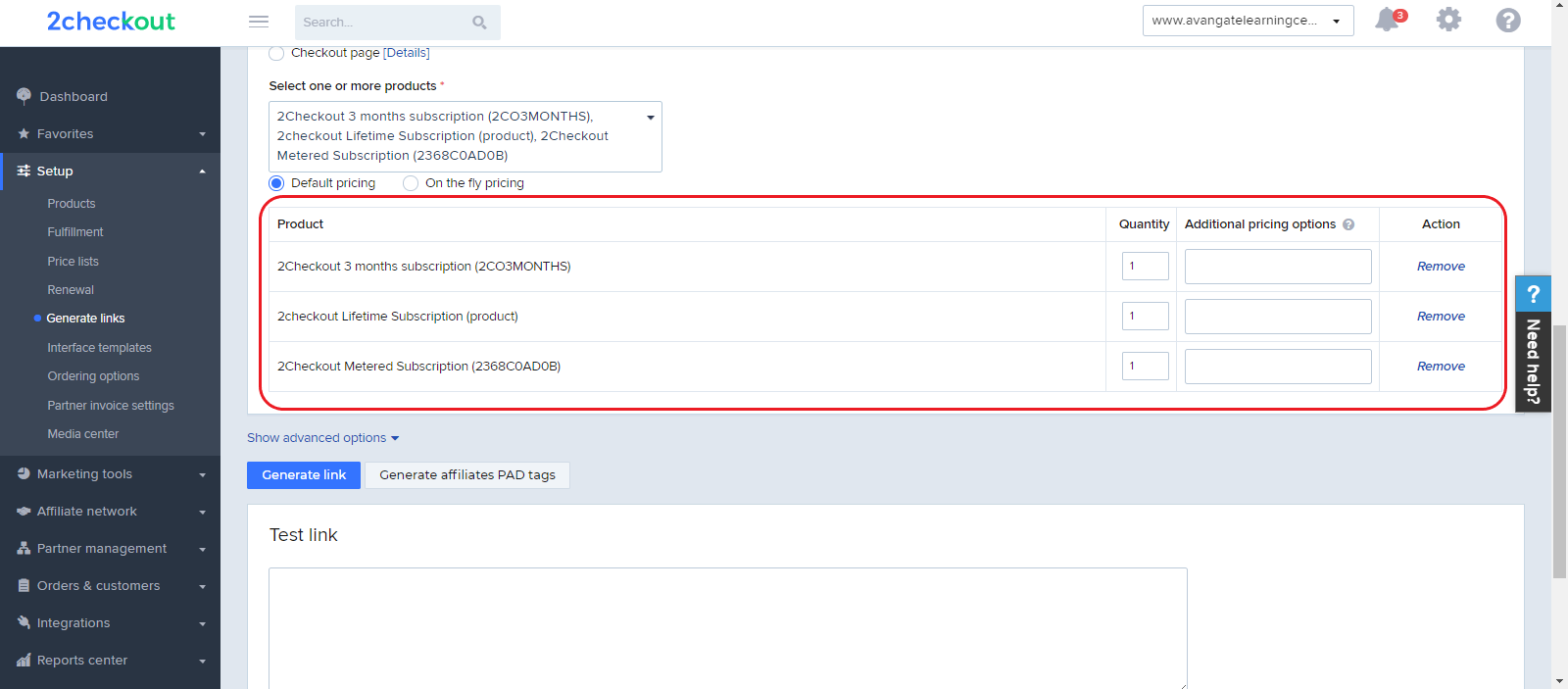
Select **one or more products** from the dropdown list.
If you have more than 2000 products in your product catalog in your 2Checkout account, you can perform multiple selections on the **Generate links** page, which allows you to select more products at a time instead of using individual search.
{% endstep %}
{% step %}
### Modify selection (quantity, pricing options)
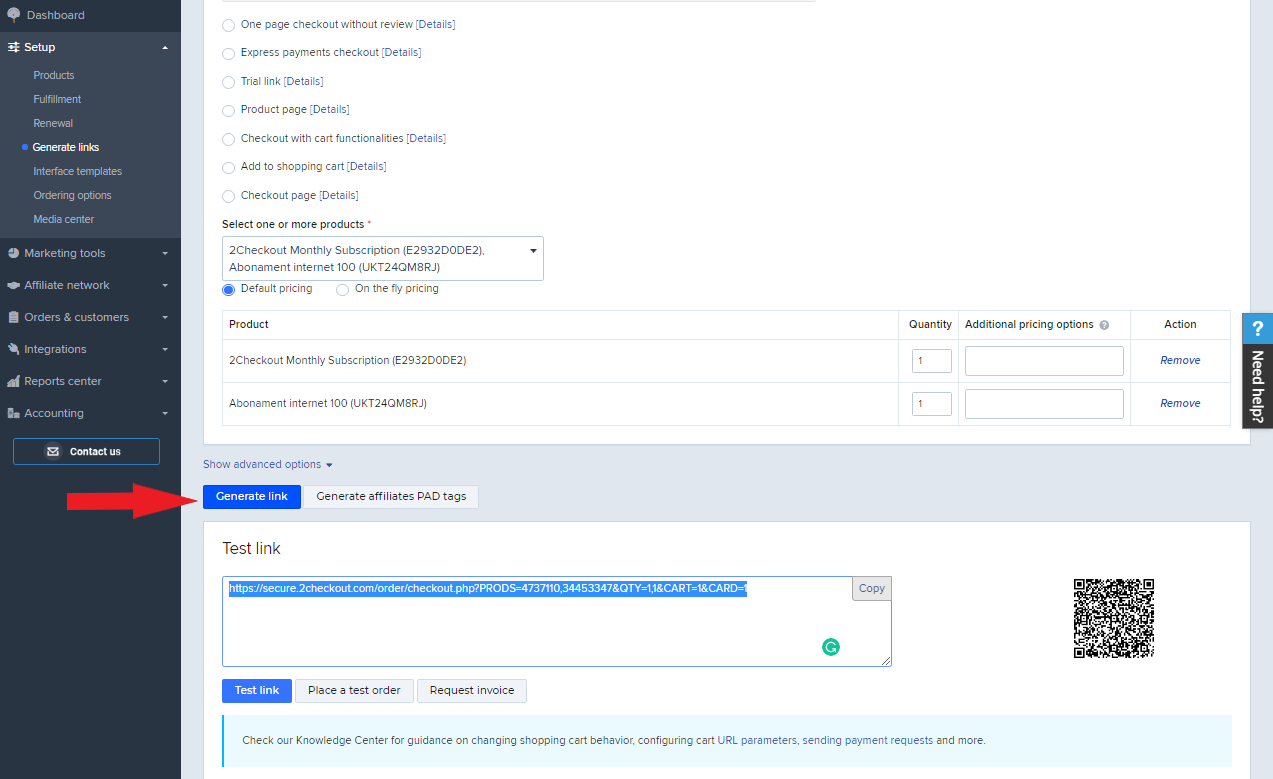
After selecting your product, a table will open under the selection field, that will allow you to modify the quantity for your product, its additional pricing options, or remove it from your selection.
{% endstep %}
{% step %}
### Generate Link
The last step is to click on **Generate Link** to create your buy-link and place it on the call-to-action button on your online store. You can control order interface behavior with the [advanced options for checkout](https://verifone.cloud/docs/2checkout/Documentation/07Commerce/Checkout-links-and-options/Checkout-advanced-options/).
{% endstep %}
{% endstepper %}
---
# Agent Instructions
This documentation is published with GitBook. GitBook is the documentation platform designed so that both humans and AI agents can read, navigate, and reason over technical content effectively. Learn more at gitbook.com.
## Querying This Documentation
If you need additional information that is not directly available in this page, you can query the documentation dynamically by asking a question.
Perform an HTTP GET request on the current page URL with the `ask` query parameter, and the optional `goal` query parameter:
```
GET https://docs.2checkout.com/payment-link/create-a-payment-link/generate-a-buy-link-using-the-default-flows-cart.md?ask=&goal=
```
`ask` is the immediate question: it should be specific, self-contained, and written in natural language.
`goal` is optional and describes the broader end goal you are ultimately trying to accomplish on behalf of the user. GitBook uses it to tailor the answer towards what is most useful for that goal.
The response will contain a direct answer to the question and relevant excerpts and sources from the documentation.
Use this mechanism when the answer is not explicitly present in the current page, you need clarification or additional context, or you want to retrieve related documentation sections.