> For the complete documentation index, see [llms.txt](https://docs.2checkout.com/llms.txt). Markdown versions of documentation pages are available by appending `.md` to page URLs; this page is available as [Markdown](https://docs.2checkout.com/payments/payments/payment-methods/boleto-pix.md).
# Boleto/Pix
## Overview
***
Boleto/Pix is a payment method tailored for international e-merchants, designed to make it easy for them to receive money from Brazilian customers. The Boleto/Pix credit transfer service enables customers in Brazil to make online purchases via 2Checkout and pay offline at any Brazilian post office, bank branch, or through Internet banking. Boleto/Pix has grown to a market share of approximately 25% in Brazil.
{% hint style="info" icon="lightbulb" %}
#### **Recommended resources**
Want to sell worldwide? Learn how 2Checkout can help with over 45 payment methods and 100 display and billing currencies.
Learn more
{% endhint %}
## Availability
***
Available for merchants on 2Sell, 2Subscribe, 2Monetize accounts and to all shoppers in Brazil. Boleto/Pix is supported in the ConvertPlus ordering engine.
## Requirements
***
Shoppers need to provide their CPF (Fiscal Number) in order to pay through Boleto/Pix.
## Shopper flow
***
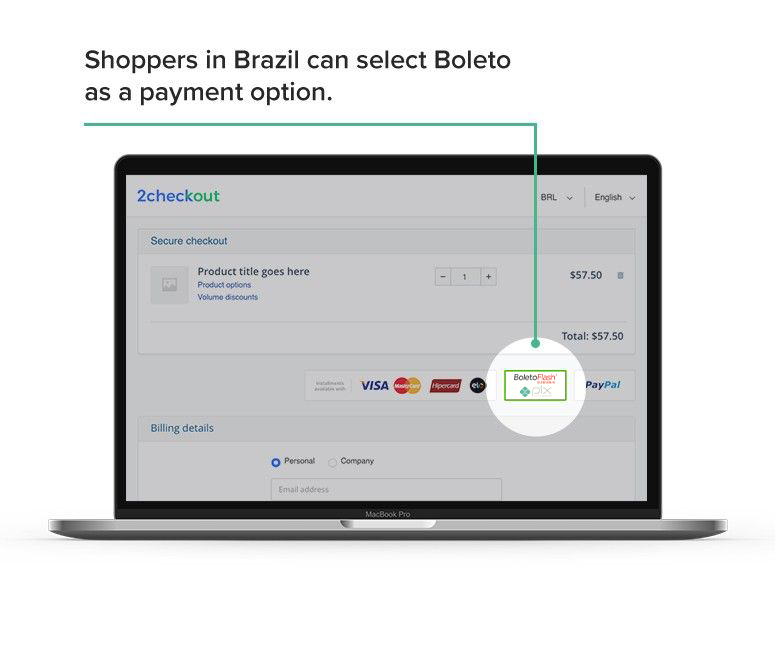
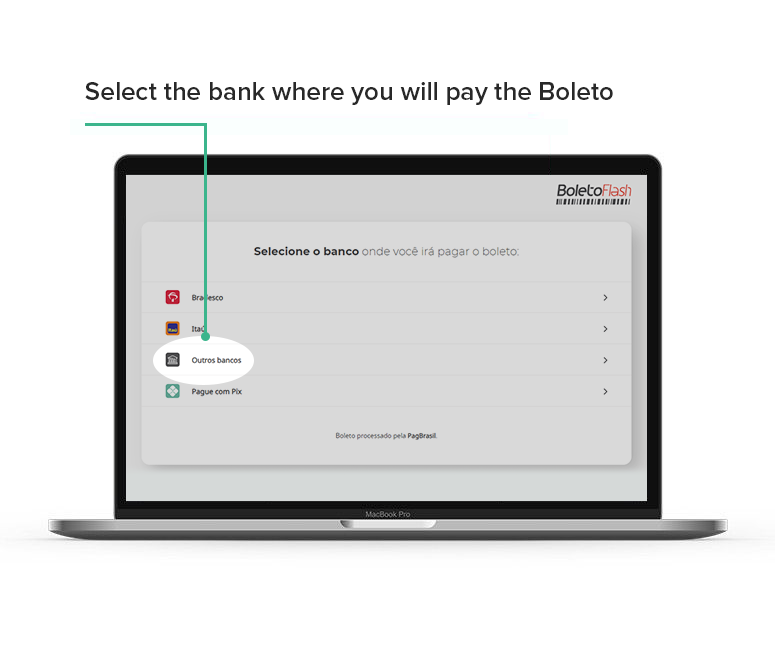
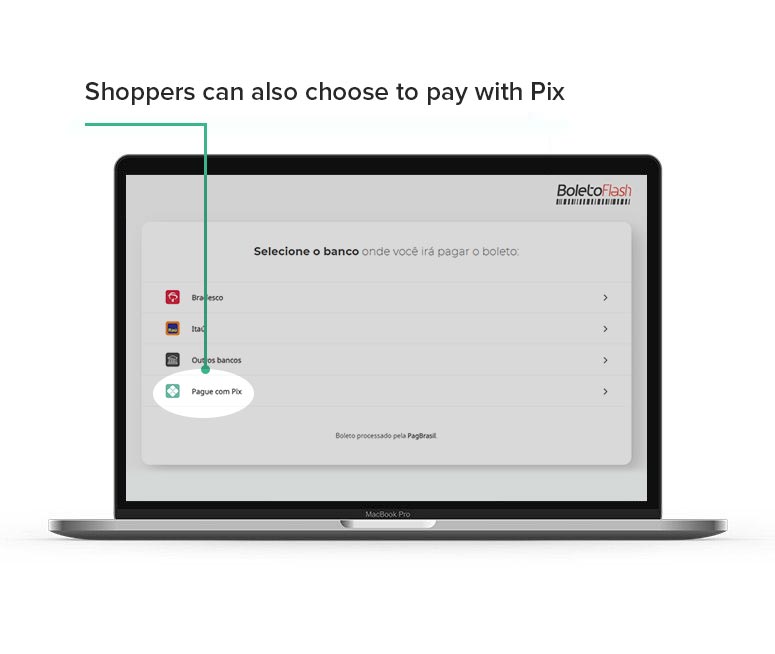
1. When placing an order, shoppers in Brazil can select **Boleto/Pix** as a payment option.
2. Shoppers will have to provide their CPF (Fiscal Number), which is unique to Brazil, on the next page, and will receive an email confirmation.
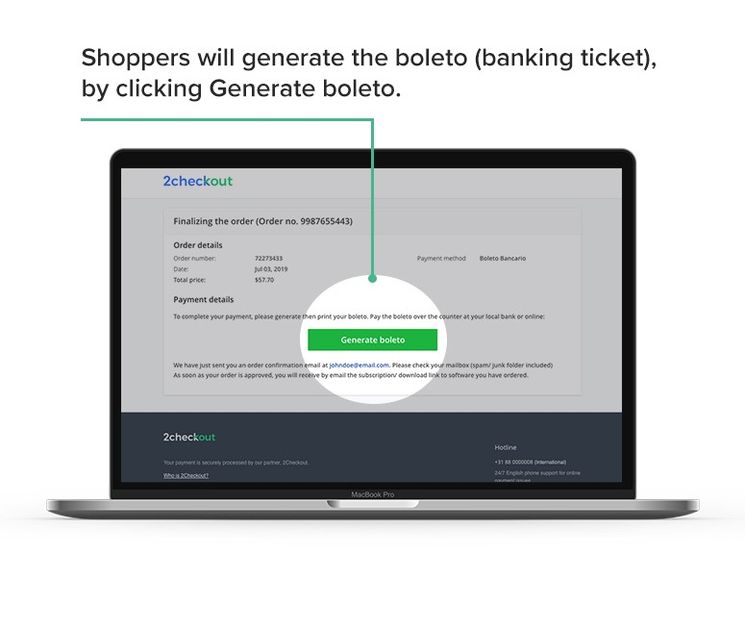
3. In order to complete the order, shoppers will need to generate the boleto (banking ticket), by clicking **Generate Boleto**.
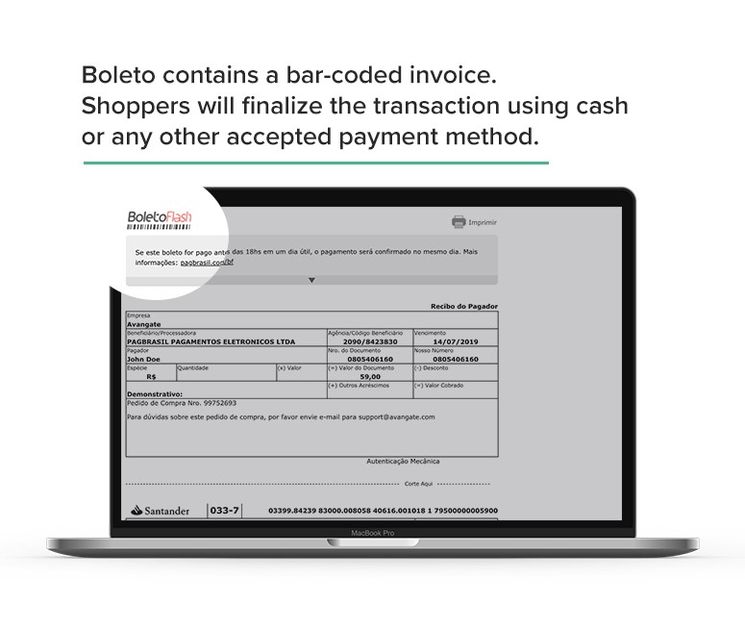
4. Customers need to print the payment slip (Boleto) which contains a bar-coded invoice and take it to one of the convenient Boleto locations. Boleto can easily be paid via Internet banking, at ATMs, at any branch of associated banks or at one of more than 13.000 Brazilian lottery agencies. Shoppers can finalize the transaction using cash or any other accepted payment method.
## Payment confirmation
***
Once the order is paid, the payment should be processed by 2Checkout within three hours. An email containing the product/licensing information will be sent to the email address used by the shopper during the checkout process.
---
# Agent Instructions
This documentation is published with GitBook. GitBook is the documentation platform designed so that both humans and AI agents can read, navigate, and reason over technical content effectively. Learn more at gitbook.com.
## Querying This Documentation
If you need additional information that is not directly available in this page, you can query the documentation by asking a question.
Perform an HTTP GET request on the following URL with the `ask` and `goal` query parameters:
```
GET https://docs.2checkout.com/payments/payments/payment-methods/boleto-pix.md?ask=&goal=
```
`ask` is the immediate question: it should be specific, self-contained, and written in natural language.
`goal` is what the user is ultimately trying to achieve, the reason they need the answer. Sharing it helps GitBook give you a better, more relevant answer. A goal is most helpful when it describes the outcome the user wants rather than restating the question. For example, with `ask=how do I create an API token`, a goal like `automate deployments from our CI pipeline` lets GitBook tailor the answer to that use case.
The response will contain a direct answer to the question and relevant excerpts and sources from the documentation.
Use this mechanism when the answer is not explicitly present in the current page, you need clarification or additional context, or you want to retrieve related documentation sections.