> For the complete documentation index, see [llms.txt](https://docs.2checkout.com/llms.txt). Markdown versions of documentation pages are available by appending `.md` to page URLs; this page is available as [Markdown](https://docs.2checkout.com/payments/payments/request-invoice-payment.md).
# Request invoice / payment
## Overview
Send invoices by email to your customers, and request payment for your products. The email sent to your customers will have a link to a checkout page where the customer can make a payment to you. The **Request invoice/payment** functionality exists primarily for invoicing purposes where it may be necessary to bill for a product or service that does not have a static price, or the final sales price is unknown.
You can also use **Request invoice/payment** for billing excess server time for web hosts, or for services that need to be billed in addition to the product/pricing structure hard-coded via 2Checkout’s product listing.
{% hint style="info" %}
At this moment, the Request invoice/payment functionality can be sent only in English.
{% endhint %}
{% hint style="info" icon="lightbulb" %}
#### Download this solution brief to discover how the Avangate Monetization Platform can maximize your conversion and retention rates.
Read more
{% endhint %}
## Availability
Available to all 2Checkout accounts (**Request invoice** → for 2Checkout PSP accounts/**Request payment** → for 2Checkout MoR accounts.)
You can use the Request invoice/payment functionality for both **ConvertPlus** and **2Checkout Default** ordering flows.
## Workflow
1. Login to the [2Checkout Control Panel](https://secure.2checkout.com/cpanel/).
2. Go to *Setup* > [Generate links](https://secure.2checkout.com/cpanel/integration.php).
3. Select the preferred ordering flow: **Default flows** or **ConvertPlus**.
4. Select the **product/s** for which you want to send the payment request.
* For ConvertPlus, you can request payment for **dynamic products**.
* For Default flows, you can request payment for catalog products with **dynamic pricing**.
5. Click on **Request invoice/payment**.
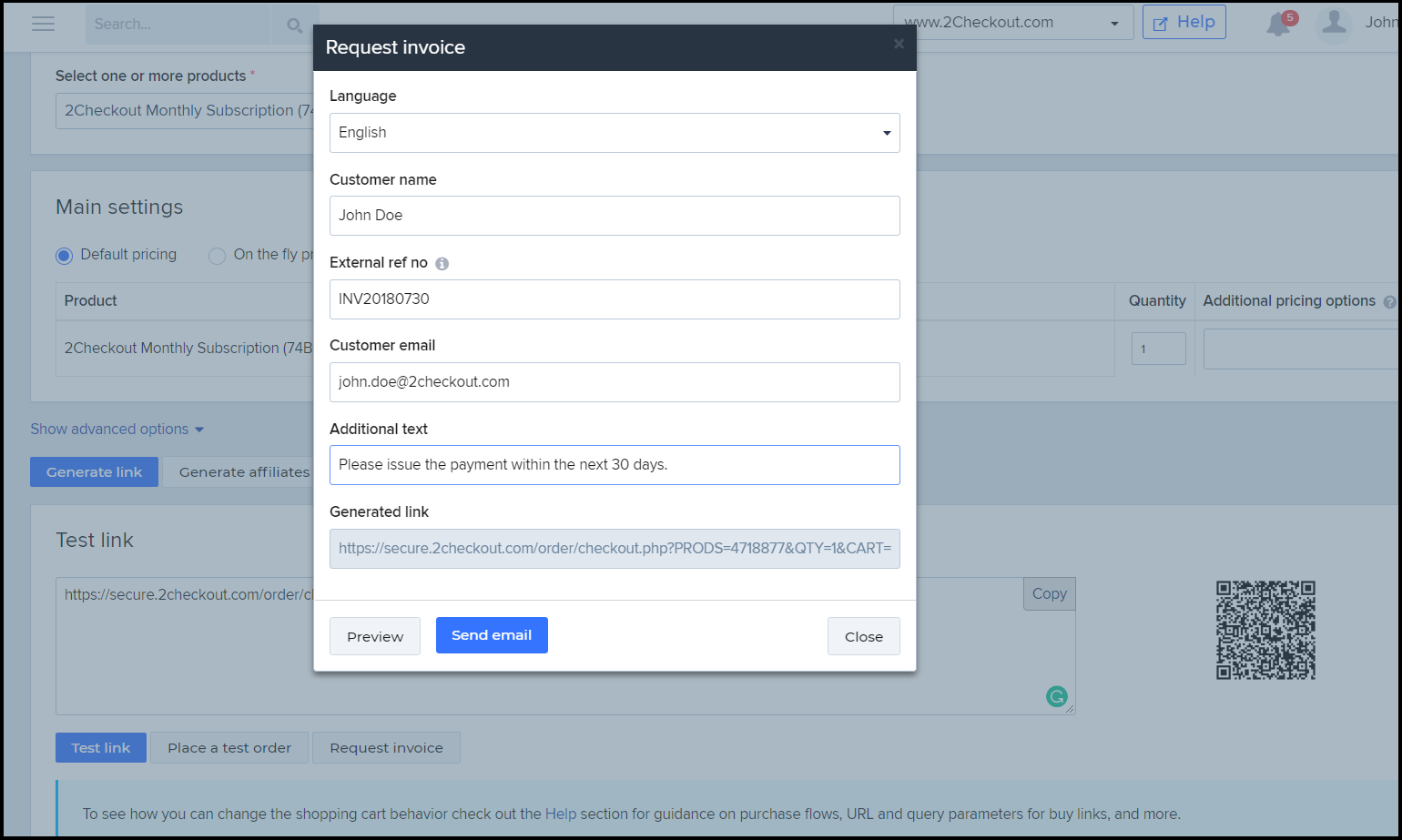
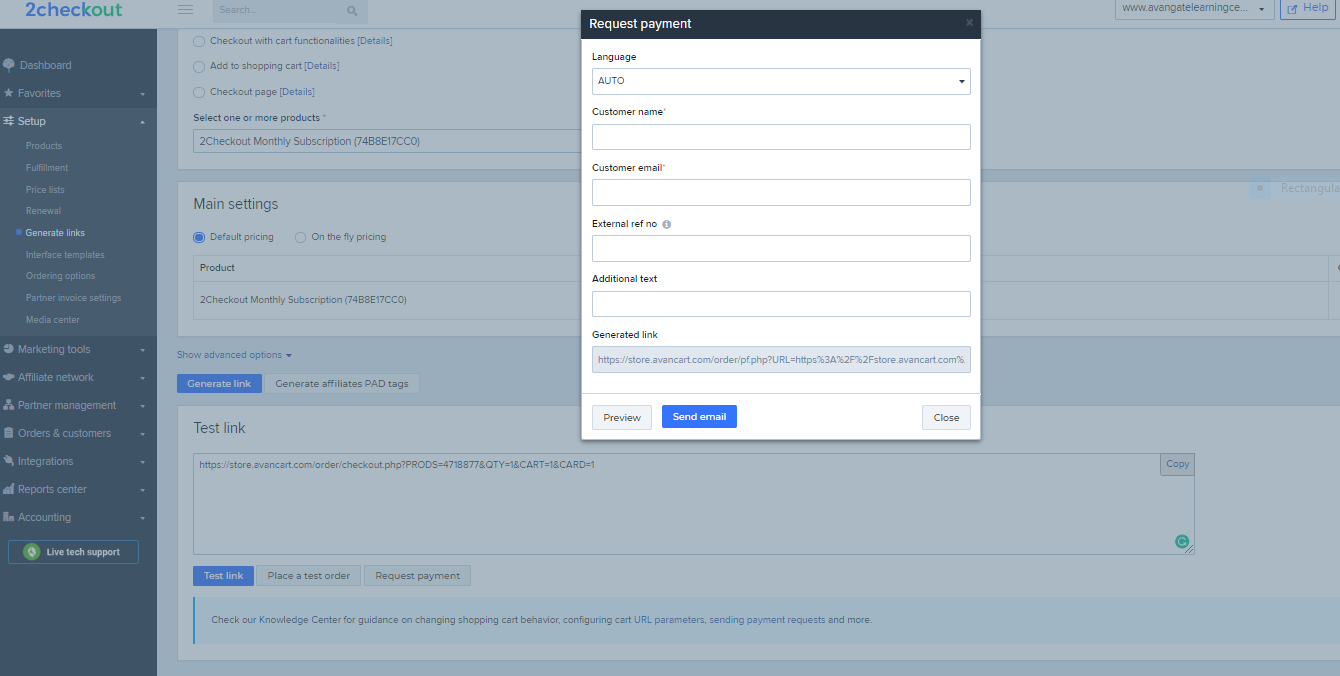
6. Once the Request invoice appears, define the following attributes:
* **Language** - The language used in the communication with your customers.
* **Customer name** - The name of the customer used in email.
* **External ref no** - External reference number that you control. Acts as an invoice number.
* **Customer email** - Email used for sending the payment request.
* **Additional text** - Comments displayed in the email content sent to your customers.
7. **Preview** the Request invoice email, or **Send** it right away to your customers.
## Reporting
You can track orders placed as a result of the Request invoice flow from **Orders & customers** > **Order search**. Filter the results by using the External reference included in the email sent to your customers. Alternatively, you can export the orders in full options template format, and check for the values in the External Reference No column.
Measure the performance of your Request invoice feature by accessing the [Email Metrics report](https://secure.2checkout.com/cpanel/email_metrics_report.php) available in the Control Panel. The information extracted in the report can be split based on the ordering flow used: ConvertPlus or Default 2Checkout flows.
---
# Agent Instructions
This documentation is published with GitBook. GitBook is the documentation platform designed so that both humans and AI agents can read, navigate, and reason over technical content effectively. Learn more at gitbook.com.
## Querying This Documentation
If you need additional information that is not directly available in this page, you can query the documentation dynamically by asking a question.
Perform an HTTP GET request on the current page URL with the `ask` query parameter, and the optional `goal` query parameter:
```
GET https://docs.2checkout.com/payments/payments/request-invoice-payment.md?ask=&goal=
```
`ask` is the immediate question: it should be specific, self-contained, and written in natural language.
`goal` is optional and describes the broader end goal you are ultimately trying to accomplish on behalf of the user. GitBook uses it to tailor the answer towards what is most useful for that goal.
The response will contain a direct answer to the question and relevant excerpts and sources from the documentation.
Use this mechanism when the answer is not explicitly present in the current page, you need clarification or additional context, or you want to retrieve related documentation sections.