> For the complete documentation index, see [llms.txt](https://docs.2checkout.com/llms.txt). Markdown versions of documentation pages are available by appending `.md` to page URLs; this page is available as [Markdown](https://docs.2checkout.com/reporting/reporting/custom-order-search-export-fields-and-templates-xml-csv-xls/ipn-gateway-responses.md).
# IPN Gateway Responses
This is a list of IPN gateway response statuses for Unfinished orders and their descriptions.
## Order Search Report
The IPN Gateway Response statuses appear on the "Gateway Response" column in the "Order Search" report for unfinished payments. If enabled for your account, you can export the report from your Control Panel account (if the functionality is not enabled for your account, [contact 2Checkout](mailto:supportplus@2checkout.com)) following these steps:
1. Log into [Control Panel](https://secure.2checkout.com/cpanel).
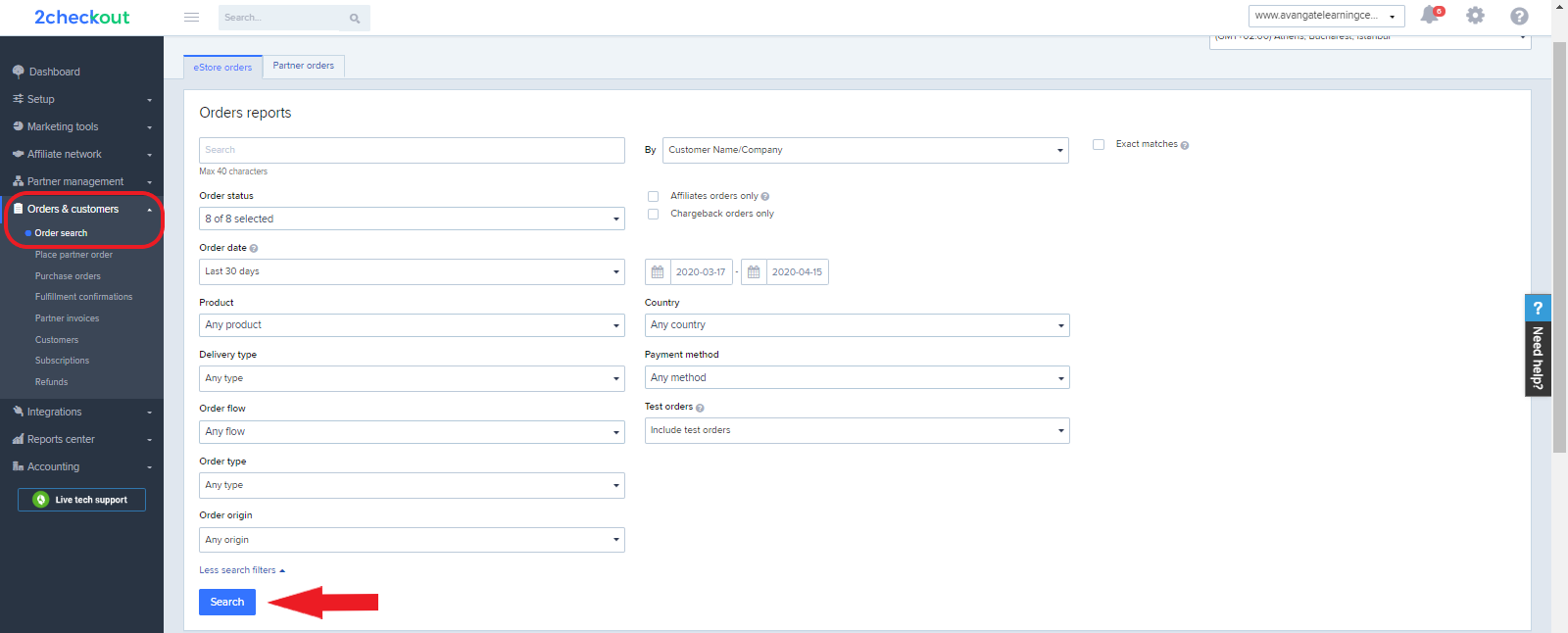
2. Navigate to *Orders & Customers → Order search*
3. Select the necessary search fields and click on the **Search** button.
4. After clicking Search, a report will appear under the Search fields. To export this report, click the **Export** button, as shown in the image below.
5. Select the **2Checkout Full Options Template** from the drop-down menu, and then check the format in which you want to export the report. You can choose between 3 formats: CSV, XLS, XML.
6. After performing the above selection, click on the **Export** button within the iframe.
7. A report will be generated and you can identify the **Gateway response column** that captures the reasons for which payments were rejected by the processing gateway.\
\

IPN Gateway Response Statuses
* Access denied in payment gateway
* Order not pay
* Invalid response
* Call acquirer support call number
* Operation not completed
* Please retry transaction
* Invalid response from gateway
* Already authorized
* Message flow error
* Card type not active or incorrect PIN
* Invalid merchant
* Restricted card
* Authorization declined
* Error - retry
* Password incorrect or card disabled
* Invalid amount
* Amount exceeds card ceiling
* Invalid amount
* No such card
* No such card/issuer
* Re-enter transaction
* Invalid response
* Format error
* Issuer signed off
* Expiry date error
* Card restricted
* Lost card
* Stolen card, pick up
* Insufficient funds
* No chequing account
* No savings account
* Expired card
* Incorrect PIN // Incorrect PIN
* Transaction not permitted on card
* Not permitted to merchant
* Exceeds amount limit
* Restricted card
* Security violation
* Exceeds frequency limit
* PIN tries exceeded // PIN tries exceeded
* Wrong Reference No.
* Reserved
* Network error
* Foreign network error
* Time-out at issuer
* Account verification required
* Authentication failure
* A technical problem occurred, please contact helpdesk
* Router unavailable // Router unavailable
* Violation of law
* Duplicate transmission
* System malfunction
* Authentication failed
* Error in CVC2 or CVC2 Description fields
* Terminal is locked, please try again // Terminal locked
* Our payment system is currently under maintenance, please try later
* Error in amount field
* Error in card expiration date field
* Invalid card number
* Server is not responding //Server is not responding
* No or Invalid response received
* An error occurred during processing. Please retry the operation
* Paypal accept
* Direct Ebanking accept
* Gateway accept
---
# Agent Instructions
This documentation is published with GitBook. GitBook is the documentation platform designed so that both humans and AI agents can read, navigate, and reason over technical content effectively. Learn more at gitbook.com.
## Querying This Documentation
If you need additional information that is not directly available in this page, you can query the documentation dynamically by asking a question.
Perform an HTTP GET request on the current page URL with the `ask` query parameter, and the optional `goal` query parameter:
```
GET https://docs.2checkout.com/reporting/reporting/custom-order-search-export-fields-and-templates-xml-csv-xls/ipn-gateway-responses.md?ask=&goal=
```
`ask` is the immediate question: it should be specific, self-contained, and written in natural language.
`goal` is optional and describes the broader end goal you are ultimately trying to accomplish on behalf of the user. GitBook uses it to tailor the answer towards what is most useful for that goal.
The response will contain a direct answer to the question and relevant excerpts and sources from the documentation.
Use this mechanism when the answer is not explicitly present in the current page, you need clarification or additional context, or you want to retrieve related documentation sections.