> For the complete documentation index, see [llms.txt](https://docs.2checkout.com/llms.txt). Markdown versions of documentation pages are available by appending `.md` to page URLs; this page is available as [Markdown](https://docs.2checkout.com/subscriptions/subscriptions/subscription-reporting/renewal-performance-report.md).
# Renewal Performance Report
## Overview
***
The renewal performance report provides a comprehensive view of how subscription renewals and expirations occur within a specific period, enabling you to measure retention performance accurately, understand churn drivers, and identify potential churn-risk behaviors.
The report includes key productivity metrics, such as renewal rate, cancellation rate, and disabling auto-renewal events, alongside visual breakdowns of subscription status changes over time.
This report supports data-driven analysis of the subscription lifecycle.
## Benefits
***
Subscription businesses need clear indicators of subscriber engagement and churn potential. The renewal performance report enables you to:
* Track how many subscriptions are renewed vs. expired in a selected interval
* Monitor customer behaviors related to automated and manual renewals
* Detect early churn risk through auto-renewal disablement patterns
* Understand the distribution of subscription outcomes over time for effective strategy planning
## Report components
***
### Filters
Configure the following filters to tailor the report output:
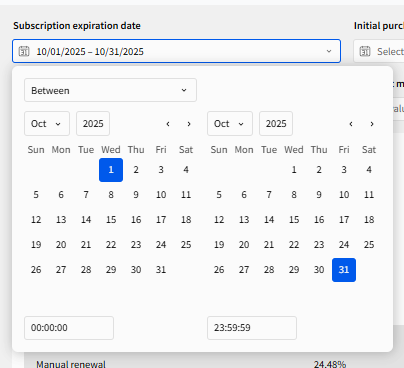
* **Subscription expiration date** - choose the interval for which expiring subscriptions’ renewals should be evaluated. The report opens on the last full month by default
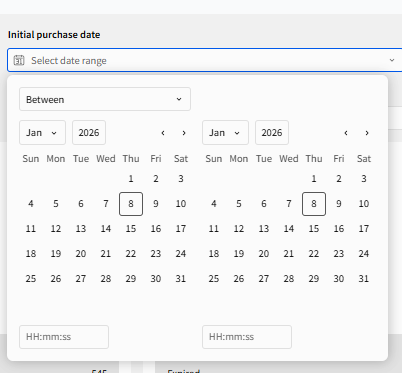
* **Initial purchase date** - restrict reporting to subscriptions created within the specified interval
* **Product** - contains product name and product code grouped, enabling precise filtering of the results to one or more products
* **Billing country** - view metrics for subscriptions based on country
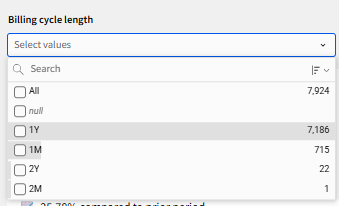
* **Billing cycle length** - filter results by subscription term duration. Billing cycle lengths in this report reflect the effective subscription duration after pricing options or lifecycle changes are applied. They are categories, not precise durations. For example, 33 days will be counted as 1M.
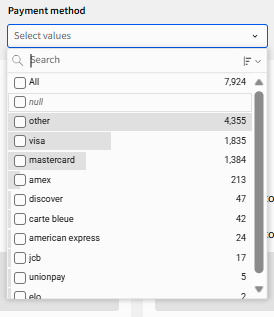
* **Payment method** - filter results by payment method (examples: Visa, Carte Bleue, PayPal, etc.)
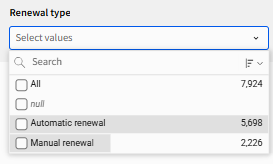
* **Renewal type at expiration** - segment results by automatic or manual renewal
* **Test subscriptions** - include or exclude test subscriptions. Test subscriptions are excluded by default
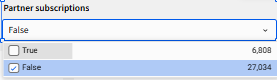
* **Subscription channel** - analyze Ecommerce or Partner subscriptions. The report opens on Ecommerce by default
### Metric cards
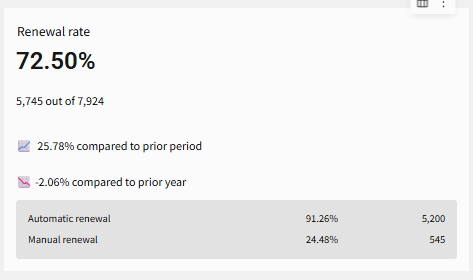
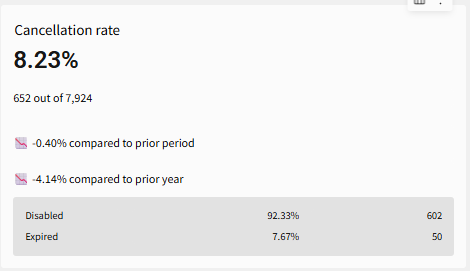
At the top of the report, three metric cards display key performance indicators that provide a high-level subscription health status during the reporting period.
* **Renewal Rate** - percentage of subscriptions that renewed successfully out of the subscriptions expiring in the selected period, excluding cancelled subscriptions (those that became disabled or expired): renewed ÷ (subscriptions up for renewal − cancelled). The card also splits renewals into automatic and manual renewals.
* **Cancellation Rate** - percentage of subscriptions up for renewal in the selected period that didn't renew and became expired or disabled: cancelled ÷ subscriptions up for renewal. The card also splits cancellations into disabled and expired.
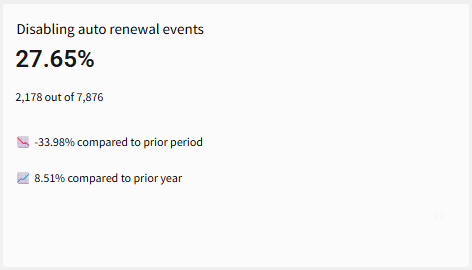
* **Disabling auto-renewal events** - percentage of active subscriptions for which auto-renewal is turned off before the renewal date, indicating potential churn risk.
Each card shows absolute counts, percentage values, and comparisons to the previous interval and the same period in the prior year to track trend movements.
### Renewal & expiration events chart
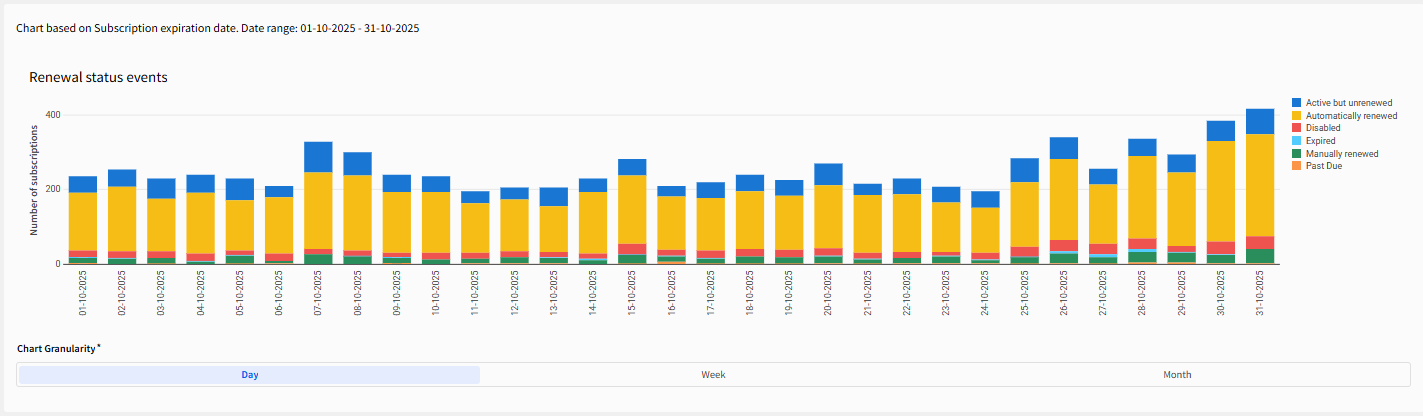
A stacked bar chart displays:
* Daily / weekly / monthly counts of subscription renewal status events throughout the reporting interval (use the **Chart granularity** selector to switch between Day, Week, and Month)
* Each colored segment corresponds to one subscription renewal status category
* Provides a visual timeline of how renewals and expirations occurred
#### **Subscription renewal statuses**
Each bar in the renewal and expiration events chart corresponds to these renewal statuses:
* **Automatically renewed** - subscriptions that successfully renewed via auto-billing around their scheduled renewal date
* **Manually renewed** - subscriptions that were renewed following an explicit customer action, such as a manual payment update or confirmation
* **Active but unrenewed** - subscriptions with expiration dates within the selected period where renewal hasn’t occurred yet, but the current billing cycle has not ended
* **Disabled** - subscriptions no longer active due to a disable action that prevents renewal, initiated by the vendor or 2Checkout support, or automatically (for example, after a refund or chargeback)
* **Expired** - subscriptions whose grace period expired without renewal and are now inactive
* **Past due** - subscriptions past the expiration date but still in grace period; payment retries may still recover renewal in case of auto-renewing subscriptions, or shopper action may still trigger manual renewal
## How to interpret the report
***
* High renewal rate signals strong subscriber engagement and product satisfaction
* Rising cancellation or disabling events at scale may uncover issues with pricing, value perception, or communication
* Active but unrenewed subscriptions suggest timing effects where renewals may still occur
* Past due volume helps evaluate payment processing performance and retry effectiveness
* To analyze why and how subscriptions were lost, use the [Churn Overview Report](/subscriptions/subscriptions/subscription-reporting/churn-overview-report.md). Its **Expiration date** filter puts churn on the same period basis as this report; churn rate is not 1 − renewal rate, because the denominators differ
---
# Agent Instructions
This documentation is published with GitBook. GitBook is the documentation platform designed so that both humans and AI agents can read, navigate, and reason over technical content effectively. Learn more at gitbook.com.
## Querying This Documentation
If you need additional information that is not directly available in this page, you can query the documentation by asking a question.
Perform an HTTP GET request on the following URL with the `ask` and `goal` query parameters:
```
GET https://docs.2checkout.com/subscriptions/subscriptions/subscription-reporting/renewal-performance-report.md?ask=&goal=
```
`ask` is the immediate question: it should be specific, self-contained, and written in natural language.
`goal` is what the user is ultimately trying to achieve, the reason they need the answer. Sharing it helps GitBook give you a better, more relevant answer. A goal is most helpful when it describes the outcome the user wants rather than restating the question. For example, with `ask=how do I create an API token`, a goal like `automate deployments from our CI pipeline` lets GitBook tailor the answer to that use case.
The response will contain a direct answer to the question and relevant excerpts and sources from the documentation.
Use this mechanism when the answer is not explicitly present in the current page, you need clarification or additional context, or you want to retrieve related documentation sections.